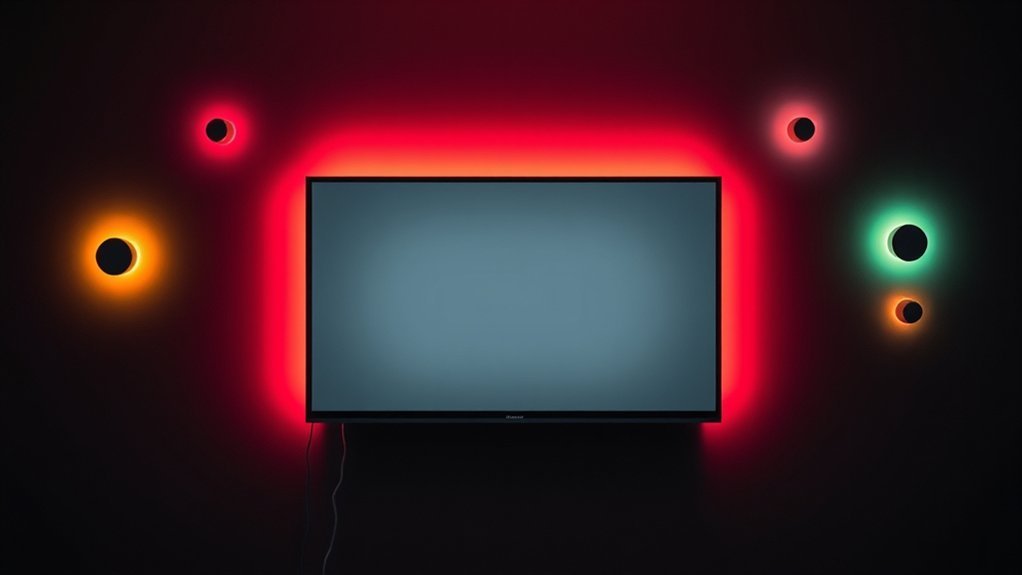

You’re looking at seven solid picks for 2026, from the Govee TV Backlight 3 Lite with Fish-Eye to RGBIC options for 55–65 inch screens, plus USB and 12 V setups that run 11.8–18 ft. Some include camera-based color sync, others rely on app or voice control, and most offer tunable whites, music modes, and strong adhesion. With this range, you’ll match edge lighting to your content—and you’ll want to compare power needs, warranty, and ease of setup before you decide which kit to grab next.
Key Takeaways
- Match kits to TV size: 11.8–12.5 ft for 55–65″, and 16–18 ft for 70–85″ models.
- Compare core tech: RGBIC/RGBICW, camera syncing, LED density, and white channel options.
- Evaluate control: app (2.4 GHz Wi‑Fi/BT), voice assistants, scenes, memory, and remote options.
- Installation and brightness: easy mounting, 3M adhesion, dimmable brightness, and bias lighting guidelines.
- Best-use picks: cinema-like with cameras, high-density RGBIC, and USB-powered budget kits.
| Govee TV Backlight 3 Lite with Fish-Eye | 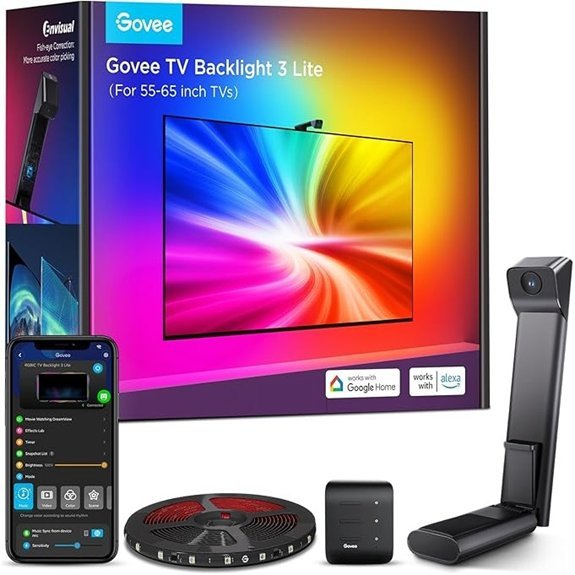 | Best Immersive | Length: 11.8 ft | TV size range: 55–65 inch | Indoor use: Indoor only | VIEW LATEST PRICE | Read Our Analysis |
| 16.4ft RGB TV Backlight with Bluetooth App | 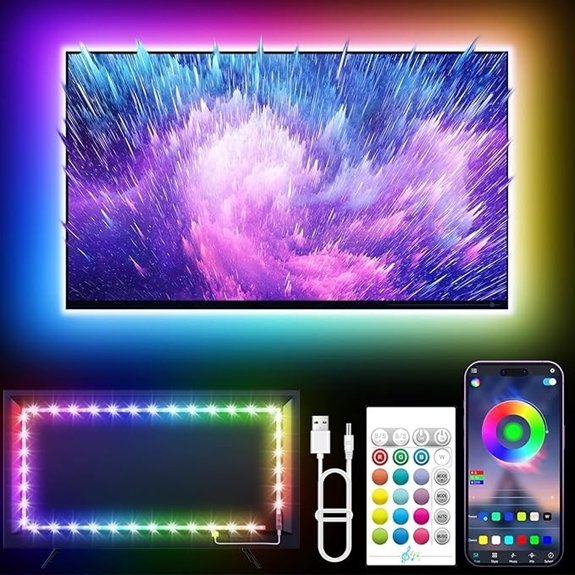 | Budget-Friendly Pick | Length: 16.4 ft | TV size range: 45–75 inch | Indoor use: Indoor use | VIEW LATEST PRICE | Read Our Analysis |
| USB TV Backlight Kit for 70-82 Inch TVs | 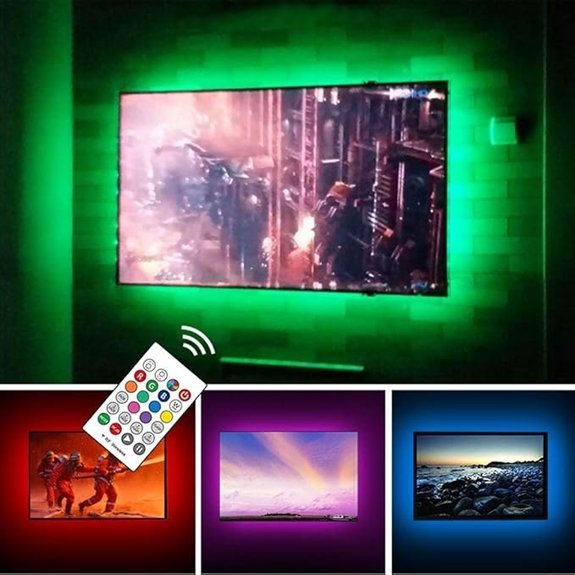 | USB-Powered Simplicity | Length: 18 ft | TV size range: 70–82 inch | Indoor use: Indoor | VIEW LATEST PRICE | Read Our Analysis |
| Govee TV LED Backlight RGBIC for 55-65 TVs | 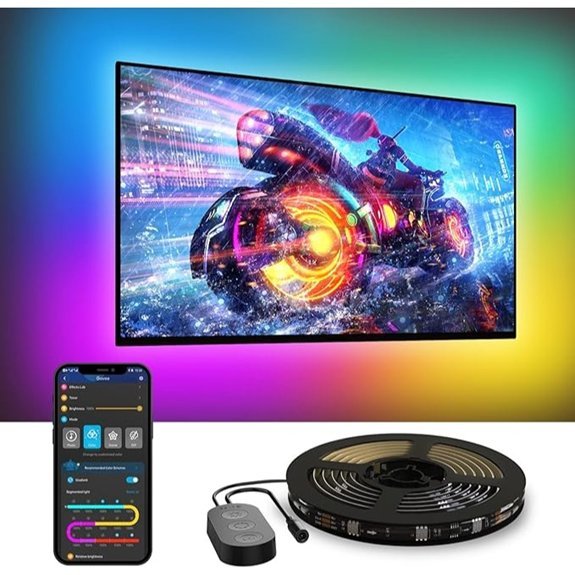 | Premium RGBIC Experience | Length: 12.5 ft | TV size range: 55–65 inch | Indoor use: Indoor use only | VIEW LATEST PRICE | Read Our Analysis |
| maylit ICRGB TV LED Backlight 18ft with Remote | 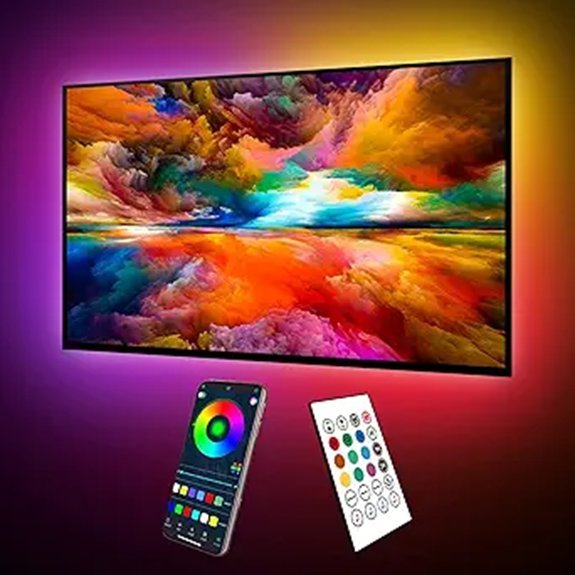 | Dynamic Color Lines | Length: 18 ft | TV size range: 75–85 inch | Indoor use: Indoor | VIEW LATEST PRICE | Read Our Analysis |
| Govee Envisual TV LED Backlight T2 with Cameras | 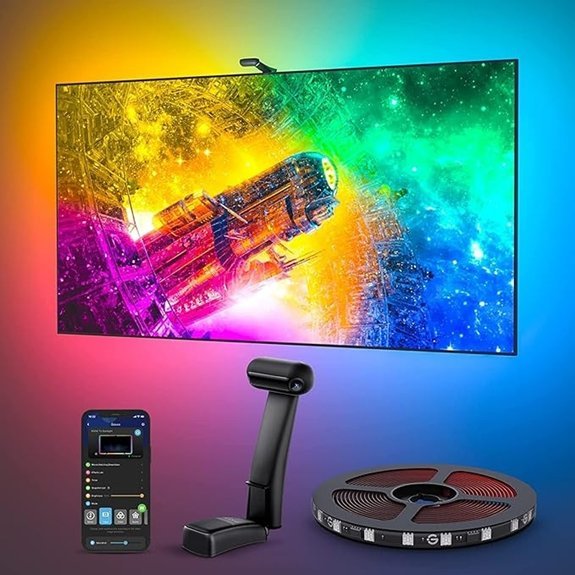 | Best Color Accuracy | Length: 11.8 ft | TV size range: 55–65 inch | Indoor use: Indoor | VIEW LATEST PRICE | Read Our Analysis |
| Govee TV Backlight 3 Lite Camera and Wi-Fi | 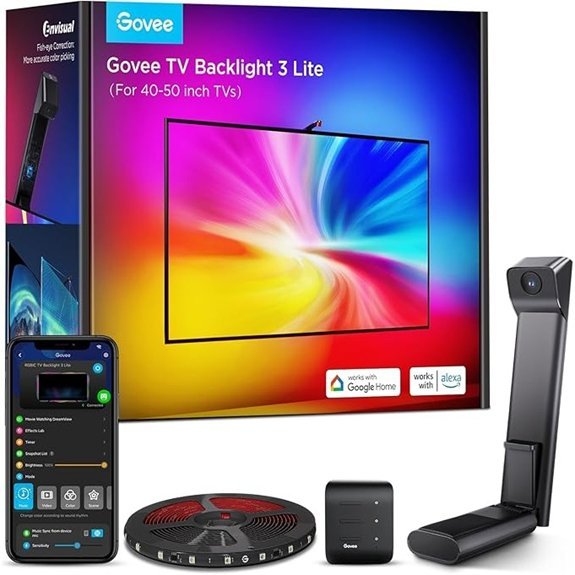 | Camera-Enhanced Precision | Length: 7.8 ft | TV size range: 40–50 inch | Indoor use: Indoor | VIEW LATEST PRICE | Read Our Analysis |
More Details on Our Top Picks
Govee TV Backlight 3 Lite with Fish-Eye
If you own a 55–65 inch TV, the Govee TV Backlight 3 Lite with Fish-Eye is a strong match. Its 11.8-foot LED strip runs cleanly along the back of your screen, powered by 12 V DC and drawing 24 W. You get 108 RGBICW LEDs for vivid color with a warm white chip, plus a camera, control box, and adapter for quick setup. DreamView lets you sync up to seven sub-devices, while real-time color picking matches your content and reduces black bars. Install is designed for 55–65 inch TVs, with a stable mount and simple app or voice control.
- Length:11.8 ft
- TV size range:55–65 inch
- Indoor use:Indoor only
- Control method:App (Govee Home) + voice (Alexa/Google)
- Power source:12 V DC adapter (24 W)
- Amazon return/warranty:Amazon 30-day return; manufacturer warranty info available
- Additional Feature:Fish-eye correction
- Additional Feature:RGBICW beads
- Additional Feature:DreamView multi-device sync
16.4ft RGB TV Backlight with Bluetooth App
Choosing a 4 ft RGB TV backlight with Bluetooth app is ideal for smaller TVs or compact setups where keeping wires tidy matters. You’ll control colors and effects via a Bluetooth app, plus a remote or button quick set ups. The strip runs on USB power at 5 V, delivering low heat with safe operation, and it supports 16 million colors for mood lighting. It’s smart-home compatible, so you can integrate it into other devices. Included are the backlight, a remote, and a user guide. Length is compact, 4 ft, simple wiring, and easy install for quick setup today.
- Length:16.4 ft
- TV size range:45–75 inch
- Indoor use:Indoor use
- Control method:Bluetooth app; remote; button control
- Power source:USB powered (5 V)
- Amazon return/warranty:Amazon 30-day return; manufacturer warranty info available
- Additional Feature:USB powered 5V
- Additional Feature:Bluetooth app control
- Additional Feature:Remote included
USB TV Backlight Kit for 70-82 Inch TVs
This USB TV backlight kit is ideal for 70–82 inch TVs and monitors that need easy bias lighting to reduce eye strain in dark rooms. It covers all four sides behind the TV with an 18-foot S-shaped RGB 3528 strip and black housing for low visibility. You get 17 colors plus white, plus fade and flash modes, at 5000 K and 100 lumens from a 5 W, 5 V, 1 A USB setup. It powers with your TV, remembers the last color, and uses an RF remote with up to 60 ft range. Includes USB cable, 3M tape, warranty.
- Length:18 ft
- TV size range:70–82 inch
- Indoor use:Indoor
- Control method:RF remote (remote control)
- Power source:USB powered (5 V)
- Amazon return/warranty:Amazon 30-day return; manufacturer warranty info available
- Additional Feature:RF wireless remote
- Additional Feature:Remembers last color
- Additional Feature:18 ft S-shaped strip
Govee TV LED Backlight RGBIC for 55-65 TVs
For a 55–65 inch TV, the Govee TV LED Backlight RGBIC is a strong pick thanks to its four‑sided 12.5 ft strip that evenly frames the screen. You control it via the Govee Home App (2.4 GHz Wi‑Fi only) or Bluetooth, and you can use voice with Alexa or Google Assistant. With 114 LEDs and RGBIC, it creates dynamic, multicolor effects across zones. Choose from 99+ preset scenes and 11 music modes, and let the built‑in mic sync colors to your audio. The kit includes an adapter for indoor use, 18 W power, and a 12.5 ft strip today.
- Length:12.5 ft
- TV size range:55–65 inch
- Indoor use:Indoor use only
- Control method:App + voice + built-in controller
- Power source:DC adapter (12 V)
- Amazon return/warranty:Amazon 30-day return; manufacturer warranty info available
- Additional Feature:114 LEDs
- Additional Feature:11 preset scenes
- Additional Feature:Built-in mic
maylit ICRGB TV LED Backlight 18ft with Remote
If you’re outfitting a 75–85 inch screen, the maylit ICRGB TV LED Backlight offers a practical fit. At 18 feet, it suits large sets and uses a flexible PCB strip with 90 LEDs in IC RGB color. It’s USB powered, 5 volts, 5 watts, so you can run it from the TV port or a power bank. The light bar produces multi-color lines rather than pure white, ideal for ambient scenes without washing out whites.
It pairs with Bluetooth app control and a 24-key remote, offering 16 million colors, 213 dynamic modes, and schedules. You keep your last color.
- Length:18 ft
- TV size range:75–85 inch
- Indoor use:Indoor
- Control method:Bluetooth app + IR remote
- Power source:USB powered (5 V)
- Amazon return/warranty:Amazon 30-day return; manufacturer warranty info available
- Additional Feature:ICRGB line display
- Additional Feature:213 dynamic modes
- Additional Feature:IR remote included
Govee Envisual TV LED Backlight T2 with Cameras
Designed for 55–65 inch TVs, the Govee Envisual T2 uses dual cameras to match edge colors in real time. You get 11.8 feet of LED strip with 216 LEDs, doubled density for smoother shifts. RGBIC lighting delivers vivid, natural hues, and the setup is designed for indoor use with a plastic body. Control comes via the Govee Home App, plus voice compatibility, so you can tweak brightness and colors without leaving your couch. The kit includes a 12 V, 36 W supply, and the dual-camera system improves calibration, especially during fast action like sports, for a more accurate image.
- Length:11.8 ft
- TV size range:55–65 inch
- Indoor use:Indoor
- Control method:App + voice (and Wi‑Fi/Bluetooth)
- Power source:Corded electric (12 V)
- Amazon return/warranty:Amazon 30-day return; manufacturer warranty info available
- Additional Feature:Dual cameras
- Additional Feature:Edge color matching
- Additional Feature:216 LEDs total
Govee TV Backlight 3 Lite Camera and Wi-Fi
Govee TV Backlight 3 Lite with Camera and Wi‑Fi is ideal if you want a hands‑off, color‑accurate setup for 40–50 inch TVs. Its 7.8 ft LED strip holds 72 RGBICW LEDs at 12 V and 24 W, weighing about 1.54 lb, with a camera, adapter, and control box included for plug‑and‑play use.
It relies on an upgraded Envisual chip with fish-eye correction for better edge color, and added warm white to improve tones. It streams color to screen, supports black bar elimination, and blank-screen detection. You can lock the camera with adhesive and control it by app or voice.
- Length:7.8 ft
- TV size range:40–50 inch
- Indoor use:Indoor
- Control method:App (Govee Home) + camera-based control option (plus Wi‑Fi)
- Power source:12 V adapter
- Amazon return/warranty:Amazon 30-day return; manufacturer warranty info available
- Additional Feature:Hanging camera design
- Additional Feature:Black bar elimination
- Additional Feature:Wi‑Fi control
Factors to Consider When Choosing TV Backlight Kits
Consider brightness and color first—aim for 300–1500 nits of brightness and RGB or 6500K white with adjustable saturation so you can match your room. Next, check length coverage to fit your TV size (55–65 inches often needs 2–4 meters of strip plus side extensions) and how easy it is to install. Finally, review control and connectivity options, from wired remotes to phone apps, plus content syncing features that mirror on-screen colors for a cohesive view.
Brightness And Color
Choosing the right brightness and color for your TV backlight starts with matching it to your room. Match brightness to room lighting: use higher lumen output for spaces and lower brightness for dark rooms to avoid washing out the screen or glare. Look for adjustable brightness you can dim, keeping bias lighting around 10–30% of the TV’s peak brightness to reduce eye strain without altering perceived contrast. Consider color accuracy and white reproduction—LEDs with separate white channels or higher color-rendering provide truer whites and more natural hues behind the screen. If you want immersive ambient effects, pick strips with higher LED density or per-segment color control for smoother gradients and color matching. Make certain backlight’s maximum color gamut and brightness suit your viewing habits to avoid oversaturation.
Length Coverage
With measurements in hand, you’ll choose a strip length that covers all four sides plus extra for routing. Begin by measuring your TV’s perimeter and pick a length that matches or slightly exceeds the diagonal-to-perimeter guideline. For typical sizes, 55–65″ TVs usually need about 11–13 ft, while 75–85″ sets often require 16–18 ft. Don’t forget corners and placement of a camera or controller; leave extra length to secure bends and route to power. If you’re wrapping behind a large bezel or a multi-panel setup, add 10–20% more length to cover overlap and non-straight runs. Finally, confirm the strip’s pixel density per foot, since higher density can change how you lay out segments for even lighting. This helps you avoid gaps and mismatched edges everywhere.
Installation Ease
When you’re choosing a TV backlight kit, start by matching a strip length to your TV’s perimeter—expect common lengths from about 8 to 18 ft to fit without gaps or excess slack. Measure your TV perimeter and choose a strip length that covers all four sides to avoid gaps or excess slack during installation. Check the power type and location—USB-powered kits draw ~5 V from a TV USB port while adapter-powered kits use 12 V DC—so make certain a compatible outlet or USB port is accessible behind the TV. Look for mounting options and adhesives rated for electronics (3M VHB tape, clips, or adhesive-backed mounting brackets) and clean the TV back surface before sticking for secure adhesion.
Consider controller placement and cable routing; external boxes, cameras, or bricks need space and may require cable management. Also check calibration or pairing needs, and plan time for app setup and remote pairing if applicable.
Control And Connectivity
To pick the right TV backlight, check how you’ll control it daily—app, remote, or voice. Look at available methods like a smartphone app, IR/RF remote, physical buttons, or voice assistants, so you can adjust colors, brightness, and scenes in the way that fits your setup. Verify the connectivity type and requirements—Wi‑Fi 2.4 GHz, Bluetooth, or USB—since Wi‑Fi enables remote and cloud features while Bluetooth stays local. If you want automated on/off with your TV, choose USB power or TV power sensing so the lights sync with the screen. For responsive audio effects or screen syncing, confirm the kit’s method—built‑in microphone, camera/sensor, or app-based analysis. Also consider smart home integrations and whether they need a hub or only 2.4 GHz Wi‑Fi. Keep expectations realistic too.
Content Syncing Features
Choose a kit that matches your content exactly by sensing on-screen colors in real time with an external camera or sensor, so ambient lighting mirrors what you see. Look for real-time capture that tracks live TV, streaming, and gaming sources, and supports USB, camera, or software-based input for consistent performance. Check edge color mapping and lens calibration to reduce mismatched hues around the bezel and improve accuracy. Higher pixel density matters—aim for 28 to 64 zones or more so complex scenes reproduce color nuance smoothly. Features like black-bar elimination and blank-screen detection keep lights in play during pauses and avoid glowing letterbox bars. Confirm your kit works with your preferred apps and devices for dependable syncing. Efficient setup also relies on stable firmware updates.
White Tone Fidelity
From content syncing features, you’ll also want to weigh white tone fidelity to keep whites accurate across scenes. Look for backlight kits that include a dedicated warm-white LED chip or a separate white channel (ICW or 4-in-1 beads) to produce purer, stable whites instead of mixing RGB. Check the color temperature range and aim for a kit that can reproduce common white points around 2700–6500 K so whites look natural for both movies and daylight content. Higher pixel density and more LEDs per foot improve white uniformity, reducing banding along solid white. Verify independent white control and tunable white settings in the app, rather than relying solely on RGB mixing for brightness and balance. Consider white-channel lumen output and a consistent CCT for accuracy.
Power And Heat
First, check the power source and voltage your kit needs to avoid overloading ports. USB 5 V strips typically draw 5 W, while 12 V kits pull 18–36 W, so make sure your TV’s USB port or outlet can supply required wattage. Higher-wattage LED strips generate more heat; low-wattage USB strips stay cool, while 12 V strips at 18–36 W may feel warm and require ventilation behind the TV. Confirm power connector type (USB vs. DC adapter) and cable routing options so you don’t overload a TV USB port or create tight bends that stress cable. Look for kits with stated power ratings and thermal management to reduce adhesive failure or heat discoloration. If linking multiple strips, sum their wattages to verify capacity and safety.
Warranty And Support
After you’ve checked power needs, it’s smart to look at warranty and support to protect your investment. Check how long the manufacturer backs the kit—30 days, 1 year, or 2 years—and whether that matches the expected life of LEDs and adhesives. Confirm what’s covered: LED failures, power adapters, controllers, and cameras, and whether consumables like adhesive strips are excluded. Look for clear return and replacement policies, including prepaid return labels, replacement units, or repair options for defective parts. Verify support options—email, phone, and live chat—and typical response times before you buy. Also review ongoing software/firmware updates and app support, since discontinued app support can shorten usable life. If possible, ask for proof of prior support interactions and a written warranty summary for your records.
Bottom Line
Choosing a TV backlight kit comes down to your setup and budget. If you want camera syncing for precise edge matching and plenty of color options, pick RGBIC or RGBICW models with 114–216 LEDs and a reliable 12 V power supply. For 70–82 inch TVs, consider USB-powered kits or Wi‑Fi apps with voice control. Check heat dissipation, strong adhesive, and a solid warranty. Compare controller types, length options around 11.8–18 ft, and ease of installation.