
If you’re upgrading your desk for 2026, the 7 best monitor light bars cover everything from BenQ ScreenBar Pro with center >1000 lx to Quntis Pro+ with a remote, auto-dimming, and 11.8-inch bars, plus Govee RGBIC kits. Look for USB‑C power, stepless dimming, high CRI, and sturdy clamps. Each option fits different glare levels and spaces, so you’ll want to compare how they shape your workflow—before you decide what to buy.
Key Takeaways
- The 7 best monitor light bars span high brightness (≥900–1000 lx), strong color accuracy, and glare-reducing optics for long-term comfort.
- Prioritize adjustable color temperature (2700–6500K), stepless dimming, memory, and ambient sensors for auto-dimming and scene adaptability.
- Look for glare-reducing designs (asymmetrical or angled beams) and slim footprints with clip-on, table-mount, or behind-monitor mounting options.
- Favor smart controls (touch, remote, app, or voice) and USB-C power for stable brightness and easy integration with desks and hubs.
- Ensure broad compatibility (fits 0.12–2.36 inch thick monitors) and easy, tool-free installation with secure mounting and cable management.
| Quntis Monitor Lamp: Auto-Dimming USB Desk Light | 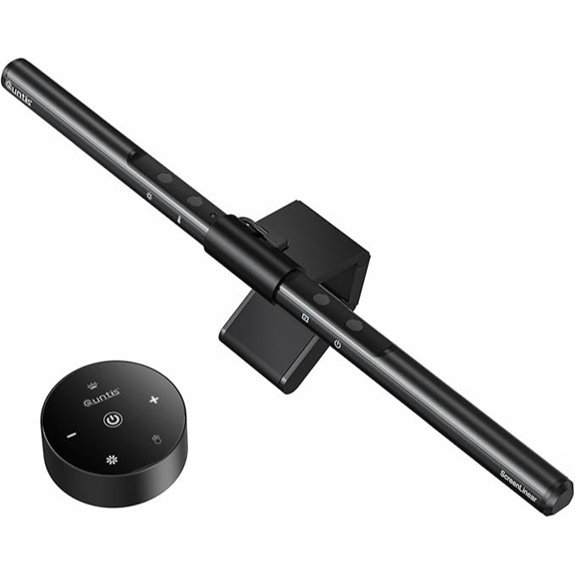 | Best Eye Care | Power Source: 5V USB (corded, 5W) | Dimming: Stepless dimming | Color Temperature: 3000K–6500K | VIEW LATEST PRICE | Read Our Analysis |
| 11.8-Inch Monitor Light Bar with Dimmable LED | 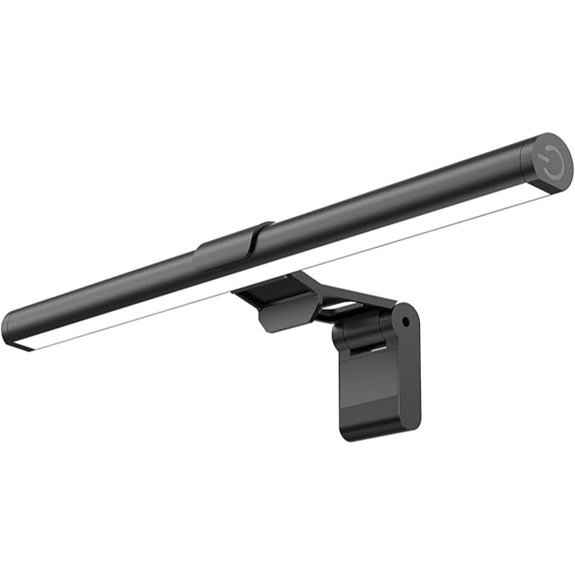 | Compact & Bright | Power Source: USB-powered (5V) | Dimming: Stepless brightness | Color Temperature: 3000K / 4000K / 6500K ( presets ) | VIEW LATEST PRICE | Read Our Analysis |
| Govee LED Light Bars with Alexa and Google | 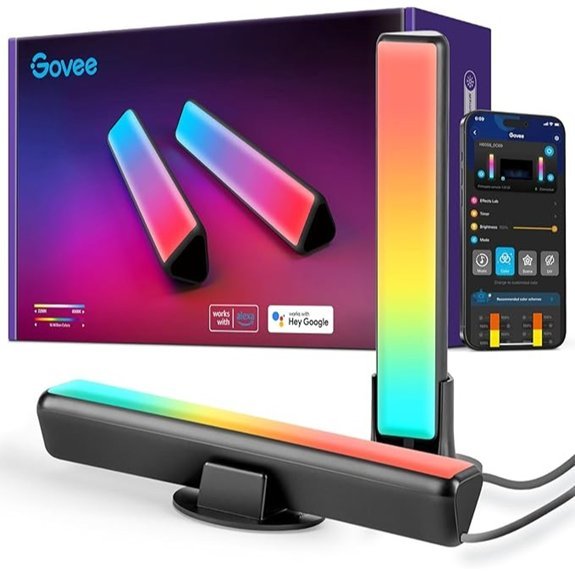 | Smart Ambient RGBICWW | Power Source: 12V (18W) | Dimming: Dimmable (app/remote) | Color Temperature: 2200K | VIEW LATEST PRICE | Read Our Analysis |
| Monitor Light Bar with USB Touch Control | 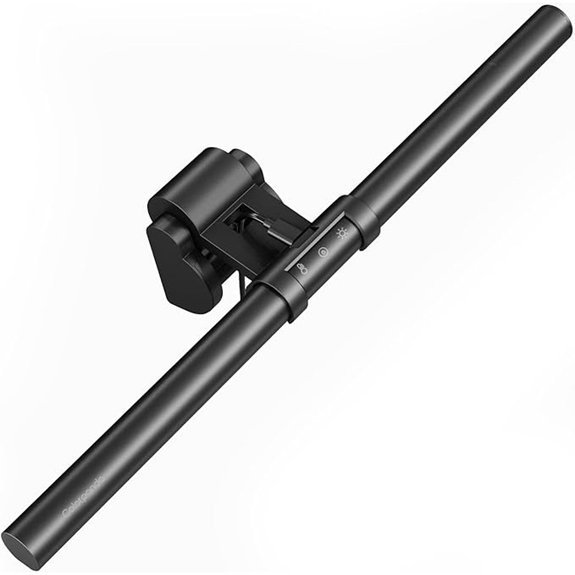 | Affordable Touch Control | Power Source: USB (5V) | Dimming: Dimmable (touch) | Color Temperature: 2700K / 4000K / 6500K | VIEW LATEST PRICE | Read Our Analysis |
| Quntis Monitor Light Bar Pro USB Lamp | 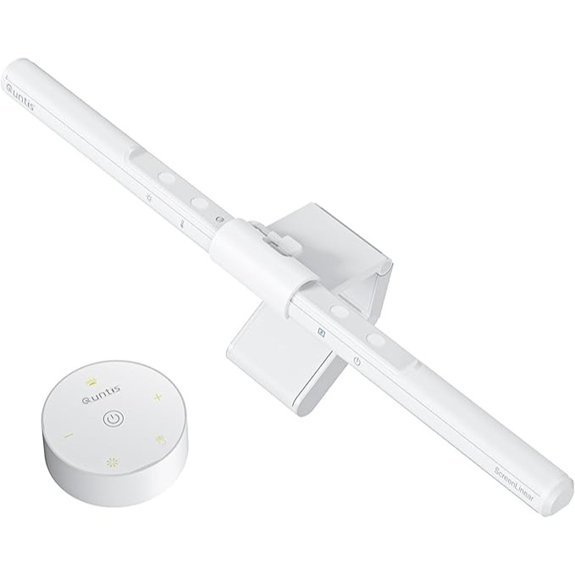 | Pro-Level Illumination | Power Source: USB-powered (5V) | Dimming: Stepless brightness | Color Temperature: 3000K–6500K | VIEW LATEST PRICE | Read Our Analysis |
| Quntis Monitor Light Bar Pro+ with Remote | 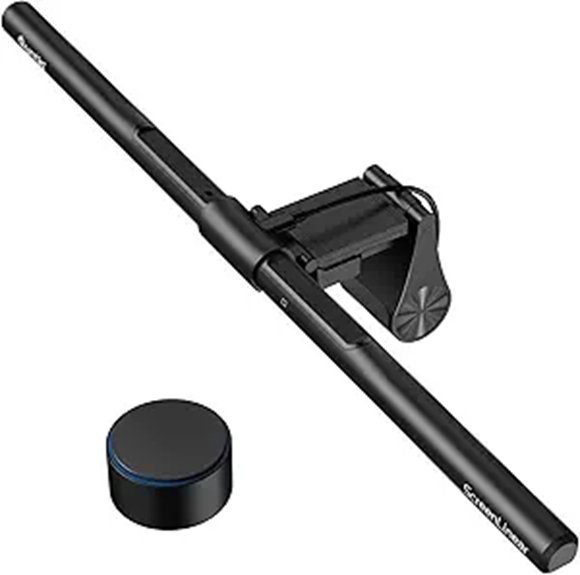 | Remote Convenience | Power Source: USB-powered (5V) | Dimming: Remote with stepless brightness | Color Temperature: 3000K–6500K | VIEW LATEST PRICE | Read Our Analysis |
| BenQ ScreenBar Pro LED Monitor Light Bar | 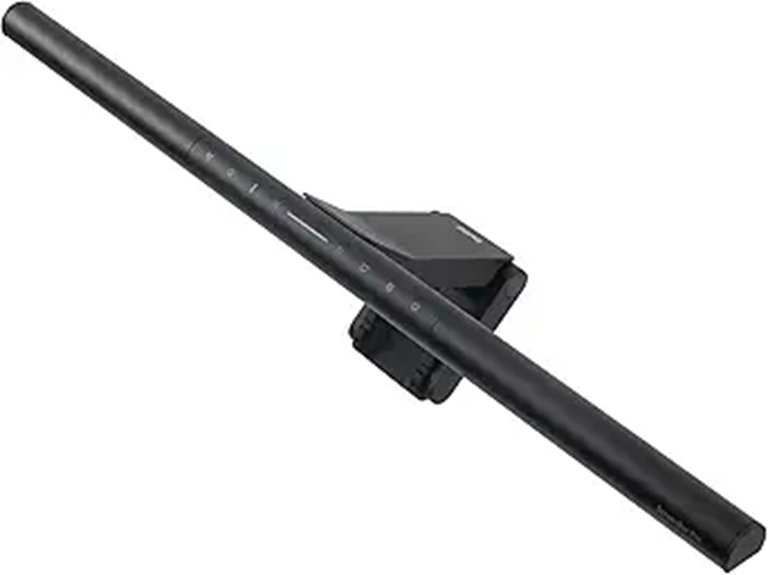 | Premium Illumination | Power Source: USB-C input (5V transformer included) | Dimming: Adjustable brightness (touch controls) | Color Temperature: Adjustable (cool to warm white) | VIEW LATEST PRICE | Read Our Analysis |
More Details on Our Top Picks
Quntis Monitor Lamp: Auto-Dimming USB Desk Light
The Quntis Monitor Lamp stands out for its auto-dimming via an ambient light sensor, making it ideal if you want a plug-and-play desk light that adapts to your surroundings. It uses 78 LED beads for uniform lighting and an ultra-high CRI of Ra98, so colors stay accurate as you work. You’ll appreciate the auto-dimming plus stepless manual dimming, a touch control, and a memory function that recalls your last setting. Its clip-on mount sits neatly atop your monitor, saving desk space, while brightness reaches about 900 lux at 3000K, adjustable to 6500K for daytime tasks. Ready to use immediately.
- Power Source:5V USB (corded, 5W)
- Dimming:Stepless dimming
- Color Temperature:3000K–6500K
- Mounting Type:Clip-on monitor top
- Light Source Type:LED
- Length / Coverage:40 cm width
- Additional Feature:78 LED beads
- Additional Feature:Ra98 color rendering
- Additional Feature:Ready-to-use; no assembly
11.8-Inch Monitor Light Bar with Dimmable LED
If you’re after a larger, dimmable setup, this 11.8-inch monitor light bar fits the bill with up to 800 lux of central brightness and a 45° beam that targets your screen and desk. You’ll get three color presets—3000K, 4000K, and 6500K—with stepless brightness control and a memory function that recalls your last setting. USB-powered means easy power from a computer or adapter, no batteries needed. Its anti-glare 45° design focuses light on the desk and screen, reducing reflections and eye strain. The table-mount fits most screens, weighs 5.6 ounces, and installs without tools. Compact, practical, and ready to use.
- Power Source:USB-powered (5V)
- Dimming:Stepless brightness
- Color Temperature:3000K / 4000K / 6500K ( presets )
- Mounting Type:Table mount with counterweight clip
- Light Source Type:LED
- Length / Coverage:11.8 inches
- Additional Feature:11.8-inch light bar
- Additional Feature:Patented counterweight clip
- Additional Feature:Memory function recalls
Govee LED Light Bars with Alexa and Google
Govee’s 2-piece LED light bars, model H6056, target monitor setups up to 45 inches with RGBICWW color output. With Alexa and Google compatibility, you control on/off, brightness, and hues by voice, app, or touch. Two lights install behind your monitor, powered by a 12 V cord, totaling 18 W and 350 lumens. RGBICWW supports 16 million colors, includes scenes for gaming, movies, and PC work, and syncs to sound via a built-in mic. Mounting options are versatile: lay flat, stand, or flush mount behind the screen with included brackets. This kit includes two lights and a long 106-inch cord.
- Power Source:12V (18W)
- Dimming:Dimmable (app/remote)
- Color Temperature:2200K
- Mounting Type:Mount behind monitor/TV (with brackets)
- Light Source Type:LED (RGBICWW)
- Length / Coverage:7.87 inches (length)
- Additional Feature:RGBICWW color spectrum
- Additional Feature:Voice/app control
- Additional Feature:Includes 2 light bars
Monitor Light Bar with USB Touch Control
With its USB-touch control and dimmable LEDs, this monitor light bar is ideal for long work sessions. It fits curved or flat monitors and helps reduce eye strain with an anti-glare design. You get three color temps—2700K, 4000K, and 6500K—and multiple brightness levels at 680 lux, all adjustable by a touch button. The unit clips on top of your screen without tools and remembers your last setting. It runs from 5V USB power and uses a single aluminum light source, finished in matte black for a clean desk look. Durability is solid, and support responds within 12 hours daily.
- Power Source:USB (5V)
- Dimming:Dimmable (touch)
- Color Temperature:2700K / 4000K / 6500K
- Mounting Type:Clip-on monitor top
- Light Source Type:LED
- Length / Coverage:16 inches
- Additional Feature:E27 bulb base
- Additional Feature:Aluminum shade
- Additional Feature:Remote-free; USB-powered
Quntis Monitor Light Bar Pro USB Lamp
Designed for long sessions at the desk, the Quntis Monitor Light Bar Pro delivers glare-free front lighting with an asymmetrical optical design. You control brightness and color temperature from 3000K to 6500K, and the dimming is stepless, so you won’t hear clicks. An ambient sensor targets about 900 lux for steady, balanced light, reducing glare on the screen and guiding your eyes. Mounting is a simple three-stage clamp that fits most monitors, even non-flat tops, and it leaves your webcam free. The package includes a USB lamp, a remote, and a manual, with a 2-hour auto-off timer for rest.
- Power Source:USB-powered (5V)
- Dimming:Stepless brightness
- Color Temperature:3000K–6500K
- Mounting Type:Screen-mounted clamp
- Light Source Type:LED
- Length / Coverage:15.7 inches
- Additional Feature:2-hour auto-off timer
- Additional Feature:Dual touch and remote control
- Additional Feature:900 lux brightness
Quntis Monitor Light Bar Pro+ with Remote
A standout feature is its 45° asymmetrical optics that illuminate your desk and keyboard while minimizing screen glare. Powered by USB at 5 volts and 5 watts, it fits monitors 0.12 to 2.36 inches thick and clips securely with a weighted front clip. Its color range spans 3000K to 6500K with CRI95, and the remote offers stepless dimming and auto‑dimming via ambient sensor. The 20‑inch bar is light at about 570 grams and requires two AAA batteries for the remote. Designed for curved or flat screens, it suits gaming, study, or long work sessions with consistent brightness and reliability.
- Power Source:USB-powered (5V)
- Dimming:Remote with stepless brightness
- Color Temperature:3000K–6500K
- Mounting Type:Desktop mounting with weighted clip
- Light Source Type:LED
- Length / Coverage:20.08 inches
- Additional Feature:Remote control included
- Additional Feature:45° rotation adjustment
- Additional Feature:Hex keys included
BenQ ScreenBar Pro LED Monitor Light Bar
If you want glare-free, high-contrast lighting for a curved monitor, the BenQ ScreenBar Pro is a strong pick. Its ultrawide illumination reaches over 1000 lx at the center and about 500 lx across a 33 by 20 cm area. Asym-Light optics reduce glare and reflections while lighting your desk to ease eye strain. You can adjust color temperature from cool to warm and dial brightness with touch control. The bar mounts on your monitor with a clamp, leaves no desk footprint, and uses USB-C power. A built-in ultrasonic motion sensor auto-ons nearby and auto-offs after about five minutes. comfortably.
- Power Source:USB-C input (5V transformer included)
- Dimming:Adjustable brightness (touch controls)
- Color Temperature:Adjustable (cool to warm white)
- Mounting Type:Monitor-clamp mounted
- Light Source Type:LED
- Length / Coverage:19.68 inches
- Additional Feature:Ultrawide 1000 lx
- Additional Feature:Ultrasonic motion sensor
- Additional Feature:USB-C input with adapter
Factors to Consider When Choosing Monitor Light Bars
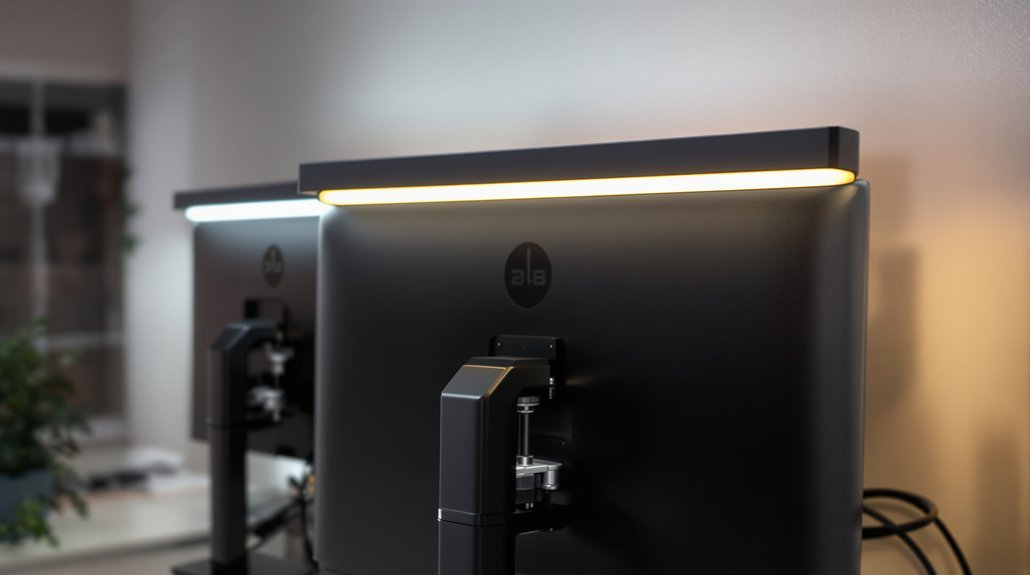
When you compare monitor light bars, check brightness levels (300–500 lux typically) to suit your room and task. Look for a color temperature range around 2700K–6500K so you can match warm or cool lighting as you work. Mind glare reduction design, mounting compatibility, and power/USB options—like USB-C pass-through and 5V/2A ports—to fit your desk setup.
Brightness Levels
How bright should your monitor light bar be for healthy work? Aim for a central brightness between about 600–1200 lux for general desk tasks, with higher values (≥900 lux) useful for detailed work like drawing or color-critical tasks. An adjustable brightness control—stepless or multi-level—lets you match light output to ambient room lighting, reducing eye strain during long sessions. Also check for even illumination: you want your keyboard and work area lit uniformly, not a harsh hotspot. Features like auto-dimming or ambient-light sensors help maintain a consistent desk illuminance as room light changes. If you often work in darker rooms, a lower maximum brightness and finer dimming control prevent excessive contrast between screen and desk. This setup supports long sessions with less glare and fatigue.
Color Temperature Range
Color temperature flexibility lets you tailor the light to your task and time of day. A wide range, like 2700K to 6500K, lets you shift from warm, relaxing evening light to cool, focused daytime light, matching circadian preferences. Midday or detail work benefits from 5000–6500K for higher perceived contrast and alertness, while reading or relaxing stays gentler at 2700–3500K. Stepless or multi‑step control provides finer tuning to match ambient lighting and reduce eye strain during long sessions. High color temperature flexibility with good color rendering helps you keep accurate colors for design, photo editing, or color‑critical tasks. Automatic or sensor‑driven shifts, cooler in bright rooms and warmer in dim ones, support healthier habits. Start with a 5000K baseline and adjust by eye as needed.
Glare Reduction Design
Glare can ruin a productive session, but the right design keeps light focused where you need it. Look for asymmetrical optics that direct light downward onto your desk, not toward the screen, so reflections stay off your monitor. An angled beam output, about 45 degrees from the lamp, helps illuminate the keyboard while preventing unwanted screen glare. High color-rendering and uniform LED arrays let you run at moderate brightness, reducing hotspots on glossy displays. Flicker-free drivers and stable current prevent shimmer that masks content. A narrow, focused beam heightens control and clip-on placement above the bezel concentrates illumination on your workspace and avoids spilling onto the screen surface. Choose models with easy angle adjustment and a small footprint to keep desk clutter down nicely.
Mounting Compatibility
Mounting compatibility is the first practical check when choosing a monitor light bar. You want a clamp or clip that fits your monitor thickness, typically 0.12 to 2.6 inches (0.3–6.5 cm). Verify the mount works with your monitor shape and back profile—flat, curved, or non-flat bezels may need adjustable front or rear covers or counterweights. Prefer tools-free attachment and features like weighted clips to prevent tipping on thin or glossy bezels. Make sure the mounting method leaves your webcam unobstructed and doesn’t block vents, speakers, or built-in sensors. If you use multiple monitors or ultrawide screens, confirm the mount width and rotation/angle adjustability to spread even light across the desk. Choose a model that matches your desk depth and allows upgrades without reordering your setup.
Power And USB
Power your setup wisely by matching how your light bar draws power to what your system can deliver. Most monitor light bars are USB-powered and use about 5 V and 3–5 W, so check that your USB port or adapter can supply that. USB-C offers higher, stable power and a reversible connection, while USB-A is widely supported with adapters. Some models draw from a computer USB port, which can enable memory functions yet limit brightness if the port only supplies 0.5 A (2.5 W). A powered USB hub or wall adapter with 1 A or more supports maximum brightness, auto-dimming sensors, and remote receivers without stressing the host. Battery remotes exist, but the lamp typically stays corded. Choose a setup that fits your needs.
Adaptive Features
Adaptive features let you tailor a monitor light bar to your work and mood without constant fiddling. Look for built‑in ambient light sensors that auto‑dim or brighten the lamp to keep desk luminance around 680–1200 lux as room lighting shifts. Consider models with adjustable color temperature, from 3000K to 6500K, that can auto‑tune based on ambient light or time of day to cut blue light in the evening. Adaptive timers and presence sensors save power and reduce glare by turning the lamp off after you leave or after preset intervals. Remote or app controls offer scene presets, schedules, and light‑sync routines for transitions between work, reading, or relaxation. Make sure the system provides smooth dimming and memory recall for preferred settings that stay consistent daily.
Control Methods
Control methods shape how you use a monitor light bar day to day. Touch controls give quick, quiet adjustments and often memory to recall your last brightness and color temperature. Physical buttons or switches are simple and reliable for power, presets, and long-press dimming. Remote controls offer convenient off-desk adjustments and timers, but require batteries and can be misplaced. App or voice control via Wi‑Fi or Bluetooth enables fine-grained color and scene programming, grouping lights, and automation schedules, but needs setup. Automatic sensors sense ambient light or motion, delivering hands‑free dimming or on/off behavior for energy savings and consistent illumination without manual input. Choose a method that fits your routine: touch for speed, app for complex scenes, or sensors for comfort throughout the day.
Size And Compatibility
When shopping for a monitor light bar, start by matching its length to your screen width. Measure your monitor and pick a bar that covers most of the screen—sizes range from 12 inches for small monitors to 20 inches for ultrawide displays. Check clip or mount compatibility with your monitor thickness and back/bezel shape; many mounts fit thicknesses from 0.12 in (0.3 cm) up to 2.4 in (6 cm). For curved or ultrawide screens, choose an adjustable clamp or rotation angle so the beam illuminates the desk without reflecting. Consider the weight of the light and the stability of its counterweight or clamp—heavier bars need a sturdy clip. If you use multiple monitors, plan clearance and cable routing so it centers over each screen.
Bottom Line
You now know your top monitor light bar options for 2026. If glare is your enemy, try BenQ ScreenBar Pro with center >1000 lx or Quntis Pro+ for auto-dimming and a remote. For compact desks, the 11.8-inch Quntis bars fit tighter spaces, while Govee kits add RGBIC mood lighting. Look for USB-C power, stepless dimming, high CRI, and a stable clamp to keep your eyes comfortable during long workdays. It reduces eyestrain day after day.